
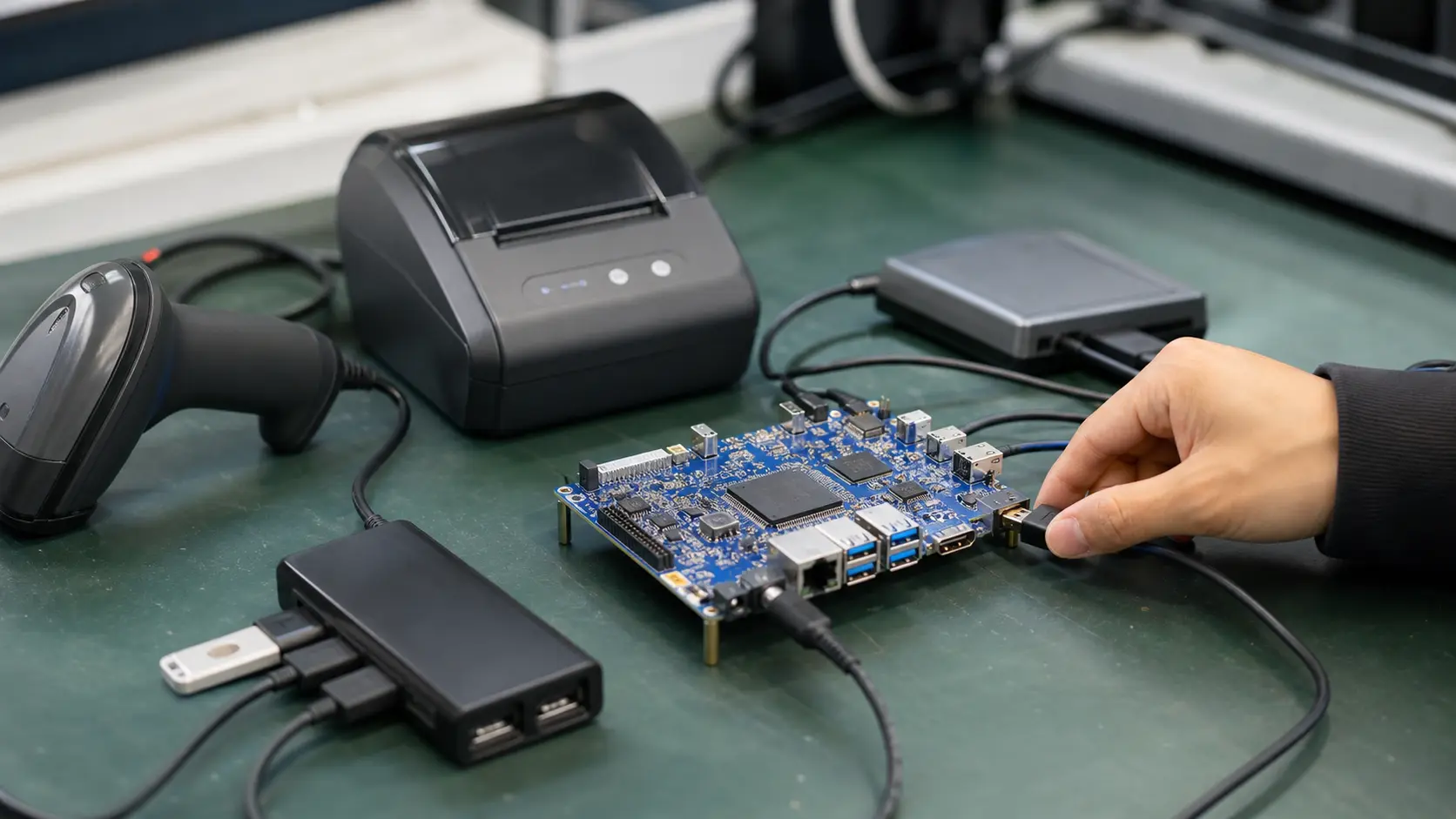
USB Peripheral Design for Android SBCs is not a question that should be answered from a processor table alone. In embedded projects, the right answer usually appears after the team understands the enclosure, display, power budget, update plan, and the people who will service the device after it leaves the lab. This guide is written for teams attaching scanners, printers, cameras, and adapters. It focuses on practical trade-offs rather than benchmark theater, because most Android SBC projects fail at the edges: cables, heat, drivers, lifecycle, field recovery, and unclear ownership between hardware and software teams.
A useful Android SBC decision starts with the job the device must do every day. The board has to boot reliably, drive the selected display, handle peripherals without fragile adapters, survive the thermal environment, and keep software maintainable for years. That sounds ordinary, but it is exactly where many prototypes diverge from production units. A prototype can sit open on a bench with a short cable and a lab power supply. A product has to run inside plastic or metal, behind glass, with a user tapping it, a technician resetting it, and a purchasing team asking whether the same board will still be available next year.
Where USB peripherals Fits
For POS, kiosks, test equipment, and service terminals, Android is attractive because it gives teams a mature UI framework, touch-first interaction, multimedia support, networking, and a familiar application model. The board is not just a computer; it becomes the center of the user experience. When a customer sees a slow screen, a frozen boot logo, a missed scan, or a display that wakes inconsistently, they do not blame an SoC. They blame the product.
That is why the decision should be framed around the complete system. The most important questions are rarely dramatic. Can the display panel be sourced for the full production life? Does the BSP support the exact touch controller? Are serial ports exposed at the correct voltage level? Can the device recover after a power interruption? Is there a practical way to update the app and firmware without sending a technician with a laptop? These questions are less exciting than raw performance, but they are much closer to the problems that appear during pilot builds.
Selection Criteria That Actually Matter
The first filter is host current, hubs, permissions, cable retention, and boot detection. A board that looks perfect in a catalog can become expensive if it needs custom carrier changes, a display bridge, a USB hub, or a thermal redesign. The better approach is to map every required function to a real connector, driver, and test case before the industrial design is frozen.
Performance should be judged with the real workload. For an Android HMI, that may mean a production APK, the target screen resolution, animation enabled, network traffic running, and the same peripherals attached. For a gateway, it may mean serial polling, local database writes, TLS connections, and a display dashboard open at the same time. For a signage player, it means the actual media playlist, not a single short video file. This kind of test is not difficult, but it needs to happen early enough to change the board choice.
Power and heat need the same discipline. Measure idle current, boot current, display backlight load, USB peripheral draw, wireless peaks, and worst-case CPU or video load. A board that is comfortable on a desk can throttle inside a sealed enclosure mounted in sunlight. If the design uses PoE, a splitter, or a small DC adapter, check peak power rather than average current. A short brownout during boot can look like a software bug for weeks.
Integration Notes from Real Projects
The common mistake is debugging software before checking power and cables. Teams often discover this late because early prototypes are too forgiving. Short cables hide signal problems. Developer firmware hides security problems. A bench supply hides startup problems. A desktop monitor hides EDID and backlight behavior. The job of a good validation plan is to remove those comfortable assumptions.
Create a small bring-up checklist and repeat it for every hardware revision. Boot from cold power. Reboot from software. Disconnect and reconnect Ethernet. Fill the storage close to its expected field condition. Attach every USB device at once. Let the screen sleep and wake. Run the app for a weekend. Pull power during an update on a sacrificial unit. None of these tests are glamorous, but they reveal whether the product has a production temperament.
Documentation is another part of integration. Keep a record of the BSP version, kernel changes, device tree edits, display timing, serial port mapping, Android permissions, and supplier change notices. Without this record, the second production run becomes a guessing exercise. Good E-E-A-T content for an engineering team is not only about explaining concepts; it is about making decisions traceable.
Hardware Details to Verify
For USB peripherals, the physical layer matters as much as Android support. Confirm voltage levels, connector pinout, cable length, shielding, grounding, and whether the signal needs isolation. Then confirm the Android software path: kernel driver, device node, permissions, SELinux policy, app API, and recovery behavior when the peripheral disappears. A clean demo that works once is not the same as a device that recovers after a field technician swaps a cable.
When an interface carries data from industrial or medical equipment, log errors explicitly. Silent retries can hide wiring faults until the product is already installed. It is better for the system to expose a clear diagnostic state than to appear healthy while dropping data.
Validation Checklist
Before committing USB peripherals to production, verify these points:
- The production display, touch controller, and cables work with the intended Android build.
- Thermal behavior is measured in the enclosure, not only on an open bench.
- All peripherals are tested together during boot, sleep, wake, and network loss.
- Update and rollback behavior are documented before the first pilot shipment.
- Debug ports, ADB access, and factory images are controlled before release.
- Supplier change notices and firmware versions are stored with the project record.
This checklist may feel basic, but it prevents expensive surprises. Most embedded Android delays do not come from a single impossible problem. They come from several small assumptions that were never tested together.
Bottom Line
The best choice for USB peripherals is the board that makes the finished product easier to build, support, and repeat. Strong specifications help, but they do not replace integration evidence. Look for a platform that matches the real display, real power source, real peripherals, real enclosure, and real maintenance plan.
For teams building commercial embedded devices, Android SBC selection should be treated as a system decision. If the board, BSP, display, power design, and supplier support line up, Android can shorten UI development and create a product that feels modern without turning every release into a custom Linux project. If those pieces do not line up, even a powerful board can become a long-running support problem.