
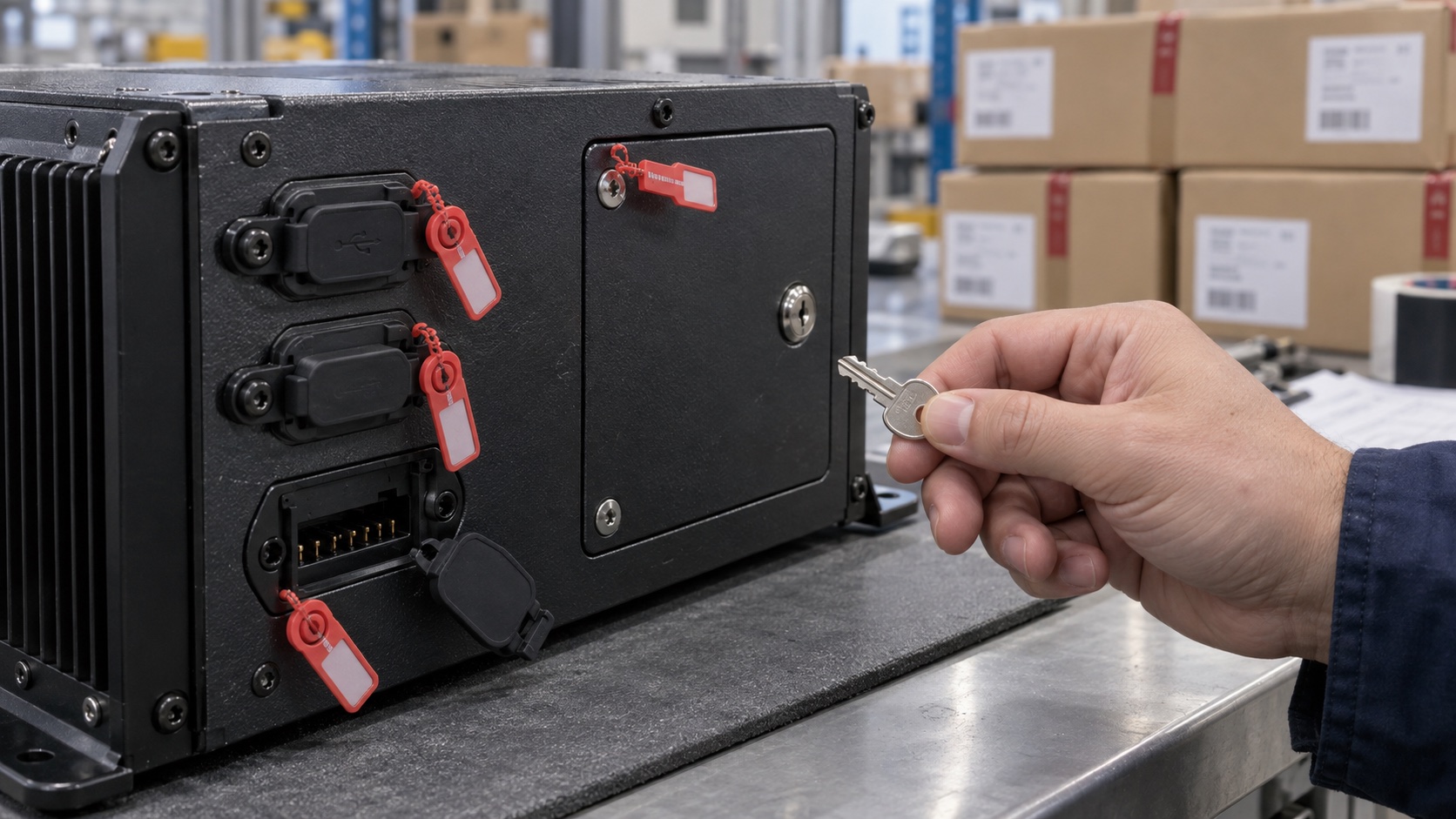
The fastest way to turn a production Android terminal back into a development kit is to leave one debug path enabled. USB ADB gets the attention, but UART console, fastboot, recovery sideload, test pads, network ADB, bootloader commands, and vendor factory applications can be just as powerful.
Lockdown should be a release requirement with a test matrix. The goal is not to make field service impossible. It is to separate factory, authorized service, and customer operation, then prove that production units expose only the access intended for their state.
Start with the production build variant
AOSP build variants have different security intent. A user build is intended for final release and normally has secure properties, is not debuggable, and does not enable ADB by default. A userdebug build retains development capabilities. Renaming a userdebug image or hiding Developer options does not turn it into a production image.
| Area | Development expectation | Production expectation |
|---|---|---|
| Android build | eng or userdebug where needed | Controlled user build |
| ADB | Available to developers with authentication | Disabled by default or tightly managed for an approved service case |
| Root shell | Available on development image | Not available through normal field interfaces |
| Verified boot | May allow unlocked or test-key flows | Enforced with production keys and locked state |
| UART console | Accessible for bring-up | Removed, disabled, authenticated, or physically controlled |
| Fastboot/recovery | Flexible flashing and diagnostics | Restricted to signed images and approved commands |
| Test applications | Broad hardware control | Removed or cryptographically authorized and scoped |
| Secrets | Test credentials | Per-device production identity with protected provisioning |
Verify properties and behavior on the built artifact. Do not trust the build job name. Vendor BSPs sometimes carry local patches that alter ADB defaults, root behavior, recovery, or bootloader unlock.
The broader Android SBC security guide should define the threat model. This article focuses on the paths engineers and factories use to bypass normal application boundaries.
Inventory every debug path
Walk from external connector to silicon. Record USB device modes, Type-C role behavior, ADB over USB and network, UARTs, JTAG or SWD, boot straps, mask-ROM recovery, fastboot, recovery UI, removable media boot, hidden settings, dialer or key sequences, factory daemons, and vendor test APKs.
Then inspect the enclosure. A header inside a locked service door has a different risk than exposed pads under a snap cover. But “inside” is not a security control if the product can be opened in seconds without evidence.
Map each path to capability: read logs, obtain shell, read user data, change properties, flash partitions, unlock bootloader, inject an application, extract keys, or alter device identity. The name of the interface matters less than what it can do.
Disable ADB by policy and verify transport behavior
For most unattended products, ship with ADB disabled. Removing the Settings toggle alone is not enough. Confirm the adbd service state, production properties, USB configurations, network listeners, authentication behavior, and restart persistence.
Test both Type-C orientations and every external USB port. A multifunction port may change device role when connected to a computer or dock. The USB-C design guide explains why data and power roles need explicit validation.
If the product has a justified field-ADB workflow, make it time-limited, authenticated, auditable, and physically or remotely authorized. Prefer per-session approval over a permanent global property. Decide what commands the technician truly needs; a support bundle and constrained diagnostic service may solve the problem without a general shell.
Never ship a shared ADB authorization key across a fleet. One leaked private key should not authorize every device. Clear development host keys and test what happens when an unknown host connects.
Network ADB deserves a direct port scan on every active interface and after reboot, factory reset, maintenance exit, and update. A service that was enabled once during lab work can survive in scripts or persistent properties.
Lock bootloader and recovery together
Disabling Android ADB does little if an attacker can boot an unsigned image or flash a permissive system. Enforce verified boot with production keys, lock the bootloader, protect rollback policy where supported, and verify that unlock or flashing commands follow the product requirement.
Recovery should accept only authorized packages and should not expose a shell, data export, or unrestricted sideload path. Test physical button combinations, USB commands, and automatic entry after failed boots.
Plan recovery before removing access. A signed, authenticated update and rollback path gives support a safer tool than an always-open bootloader. The Android OTA guide covers slot health and recovery design.
Some SoCs include immutable or mask-ROM download modes. These may not be removable. Assess what physical access is required, whether production fuses or keys limit accepted images, and how the enclosure protects bootstrap pins and download pads. Record residual risk instead of pretending the mode does not exist.
Treat UART and JTAG as production interfaces
Serial console is invaluable during bring-up. In production it can leak boot logs, kernel addresses, device identifiers, credentials printed by careless services, or an interactive shell.
Choose a policy per product:
- omit the connector and remove accessible pads;
- disable console and interactive login in bootloader, kernel command line, and Android services;
- place pads inside a tamper-evident service boundary;
- gate level shifters or signals with a controlled hardware enable;
- use an authenticated service accessory for higher-risk products.
Do not assume that deleting a three-pin header removes access when test pads remain labeled on the PCB. Review fabrication, assembly, service, and public documentation together.
JTAG or SWD policy depends on the SoC and threat model. Production fuse or lifecycle settings may disable invasive debug permanently or restrict it. These settings can be irreversible, so validate recovery and key provisioning on sacrificial units before the factory step is released.
Separate factory mode from shipped state
Factories need access for flashing, calibration, interface test, and provisioning. Build a state transition with evidence:
- Load an authenticated factory or production image through an approved station.
- Test hardware with a scoped test service.
- Provision per-device identity and configuration.
- Remove factory credentials and temporary files.
- Apply irreversible security settings only after required checks pass.
- Boot the production image and run an independent lockdown audit.
- Record result, image hash, unit identity, and station.
The final audit should not reuse the same privileged path it is meant to verify. For example, an external tester can confirm that USB ADB does not enumerate and that the product application still launches.
Provide a quarantine path for failed provisioning. Operators should not bypass security fuses or share keys to save a unit. This is one reason the production process belongs in EVT, DVT, and PVT planning.
Preserve serviceability without a universal back door
Support teams need version, health, logs, network state, storage health, and peripheral diagnostics. Expose those through a constrained maintenance UI or signed support-bundle function. Redact secrets and personal data before export.
For deeper access, require more than a hidden tap sequence. Options include a short-lived signed service token bound to the device, a managed command from the fleet system, or a physical service accessory plus technician authentication. Log entry, actions, and exit.
And always expire service mode. Reboot, timeout, and enclosure closure should return the unit to production policy. Test interruption during the service session.
Run a release lockdown audit
Use a unit taken from the normal production line, not an engineering sample prepared for security review.
| Test | Expected production result |
|---|---|
| Connect each USB port to a host | No unauthorized ADB, shell, storage export, or flashing path |
| Scan all active network interfaces | No ADB or undocumented maintenance listener |
| Attempt Developer options and hidden settings | Unavailable or constrained by managed policy |
| Enter bootloader and recovery combinations | Only approved, signed recovery actions are possible |
| Attach to UART/test pads | No interactive production console or secret-bearing logs |
| Present old or test-signed update | Rejected according to signing and rollback policy |
| Factory reset | Returns to intended ownership and security posture |
| Exit or interrupt service mode | Access expires and production policy is restored |
| Inspect installed packages and services | No factory APK, shared key, or development daemon remains |
| Update to next release | Lockdown settings persist across OTA and rollback |
Automate the checks that can regress with every build. Keep a small manual physical audit because connector and enclosure changes can reopen a path even when software tests pass.
Frequently asked questions
Is ADB authentication enough for a production device?
Usually not by itself. Authentication reduces casual access, but permanently exposed ADB still adds a privileged service and key-management burden. Disable it unless a documented service requirement justifies it.
Can we ship userdebug if ADB is turned off?
That is a poor default. Userdebug retains debugging behavior beyond one switch. Build and validate a production user image, then add only the narrowly required service capabilities.
Should all debug fuses be permanently disabled?
Not automatically. Irreversible settings must match the threat model, failure-analysis plan, warranty process, and SoC behavior. Validate the full manufacturing and recovery path before committing them.
Bottom line
Production lockdown is the controlled retirement of development access. Ship a verified user build, inventory every hardware and software debug path, lock bootloader and recovery, separate factory credentials, and provide bounded service tools. Then test a normal production unit from the outside. If support access depends on a universal secret or forgotten debug daemon, the product is not locked down.